
Here's a preview from my zine, HTTP: Learn Your Browser's Language! If you want to see more comics like this, sign up for my saturday comics newsletter or browse more comics!
read the transcript!
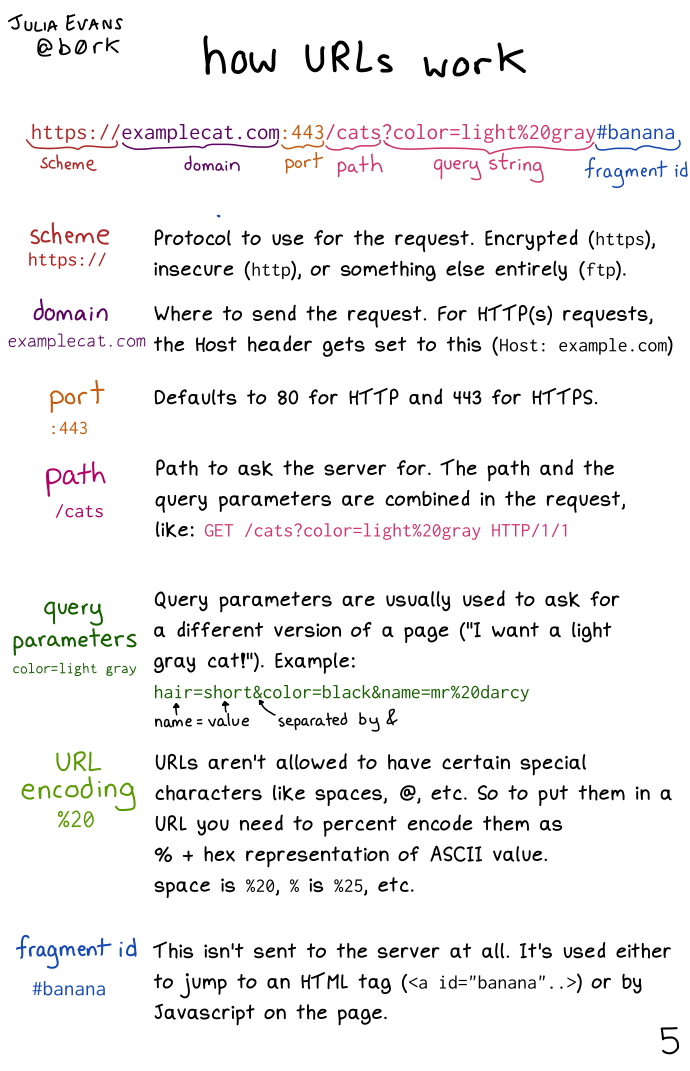
https://examplecat.com:443/cats?color=light%20gray#banana
- scheme (
https://): Protocol to use for the request. Encrypted (https), insecure (http), or something else entirely (ftp). - domain (
examplecat.com): Where to send the request. For HTTP(s) requests, the Host header gets set to this (Host: example.com) - port (
:443): Defaults to 80 for HTTP and 443 for HTTPS. - path (
/cats): Path to ask the server for. The path and the query parameters are combined in the request, like:GET /cats?color=light%20gray HTTP/1/1 - query parameters (
color=light gray): Query parameters are usually used to ask for a different version of a page (“I want a light gray cat!”). Example:hair-short&color=black&name=mr%20darcy. Hair is the name, short is the value, separated by & - URL (
encoding %20): URLS aren’t allowed to have certain special characters like spaces, @, etc. So to put them in a URL you need to percent encode them as % + hex representation of ASCII value. space is %20, % is %25, etc. - fragment id (
#banana): This isn’t sent to the server at all. It’s used either to jump to an HTML tag (<a id="banana"..>) or by Javascript on the page.