
Here's a preview from my zine, How Git Works! If you want to see more comics like this, sign up for my saturday comics newsletter or browse more comics!
read the transcript!
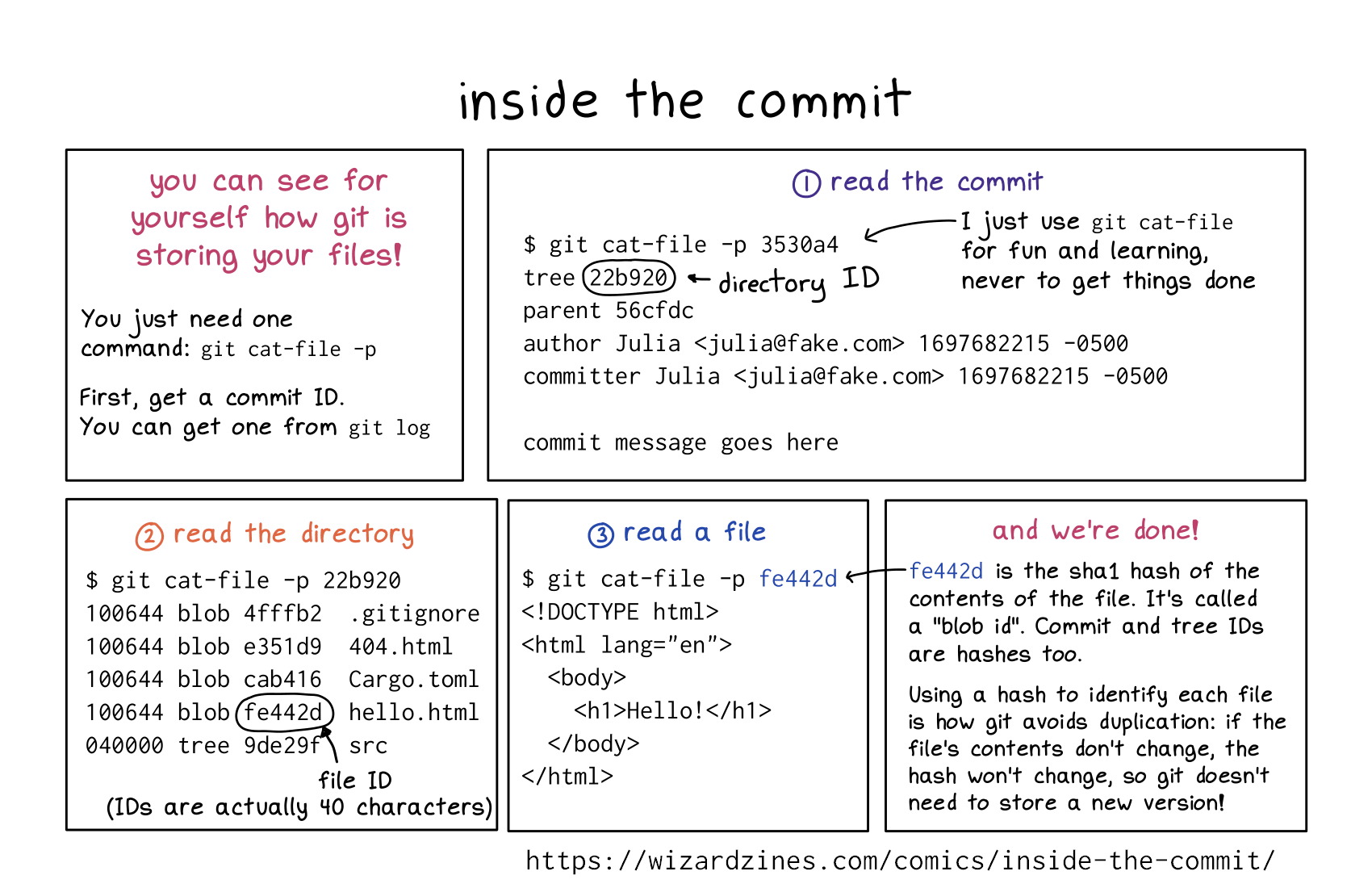
you can see for yourself how git is storing your files!
You just need one command: git cat-file -p
First, get a commit ID. You can get one from git log
1. read the commit
git cat-file -p 3530a4
tree 22b920
parent 56cfdc
author Julia 1697682215 -0500
committer Julia 1697682215 -0500

commit message goes here
22b920 is the directory ID
I just use git cat-file for fun and learning, never to get things done
2. read the directory
$ git cat-file -p 22b920
100644 blob 4fffb2 .gitignore
100644 blob e351d9 404.html
100644 blob cab416 Cargo.toml
100644 blob fe442d hello.html
040000 tree 9de29f src
(fe442d is a file ID)
(IDs are actually 40 characters)
3. read a file
$ git cat-file -p fe442d
<!DOCTYPE html>
<html lang="en"
<body>
<h1>Hello!</h1>
</body>
</html></p>
4. and we’re done!
fe442d is the sha1 hash of the contents of the file. It’s called a “blob id”. Commit and tree IDs re hashes too.
Using a hash to identify each file is how git avoids duplication: if the file’s contents don’t change, the hash won’t change, so git doesn’t need to store a new version!