
Here's a preview from my zine, How Git Works! If you want to see more comics like this, sign up for my saturday comics newsletter or browse more comics!
read the transcript!
theoretically you could use git without branches
You could keep track of your commit IDs manually:
Illustration of a smiling stick figure with medium-length straight hair.
person: hmm, what was I working on? oh yes, a38b997!
But most people use branches.
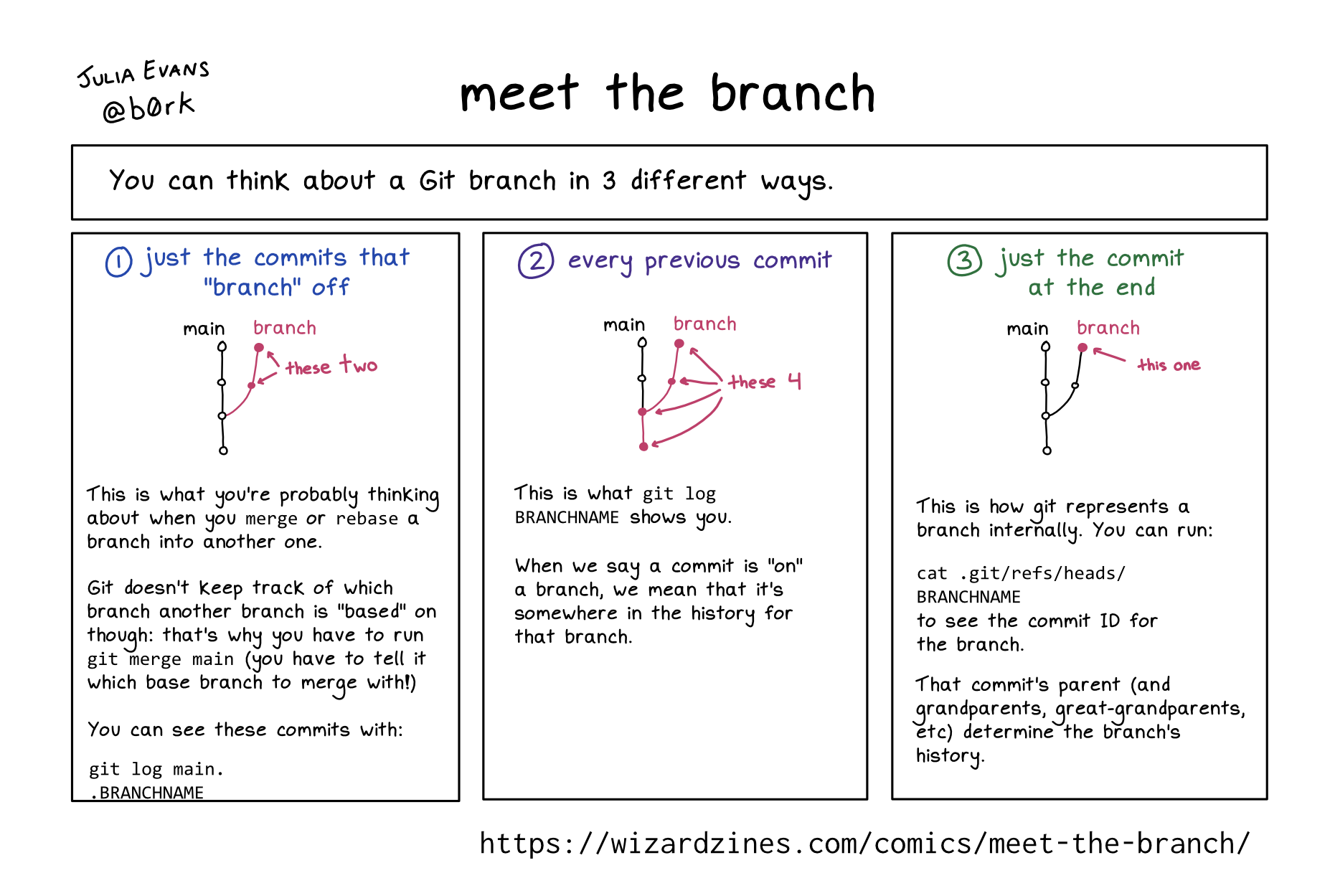
every branch has 3 things
- a name (like
main) - a latest commit (like
2e9ffc) - a reflog of how that branch has evolved over time (page 26)
Branches also sometimes have a corresponding remote branch which they “track”
branches are core to how git stores your work
If your commits are “lost” (not on a branch) (page 13):
- (sad face) git’s garbage collection will eventually delete them
- (sad face) they’ll become incredibly difficult to find
the only difference between the main branch and any other branch is how you treat them
For example: it’s common to never commit to main directly, and instead commit to other branches which you merge into main when you’re done.
all changes to a branch are recorded in its reflog
The reflog records every rebase, amended commit, pull, merge, reset, commit, etc. You can look at the reflog like this:
git reflog BRANCHNAME
reflog stands for “reference log” (not re-flog ) (smiley face)
git will let you do literally anything with a branch
- when you push/pull a branch, the local branch name doesn’t have to match the remote branch name
- you can remove commits from a branch with
git reset
Git often won’t protect you from messing up your branch!